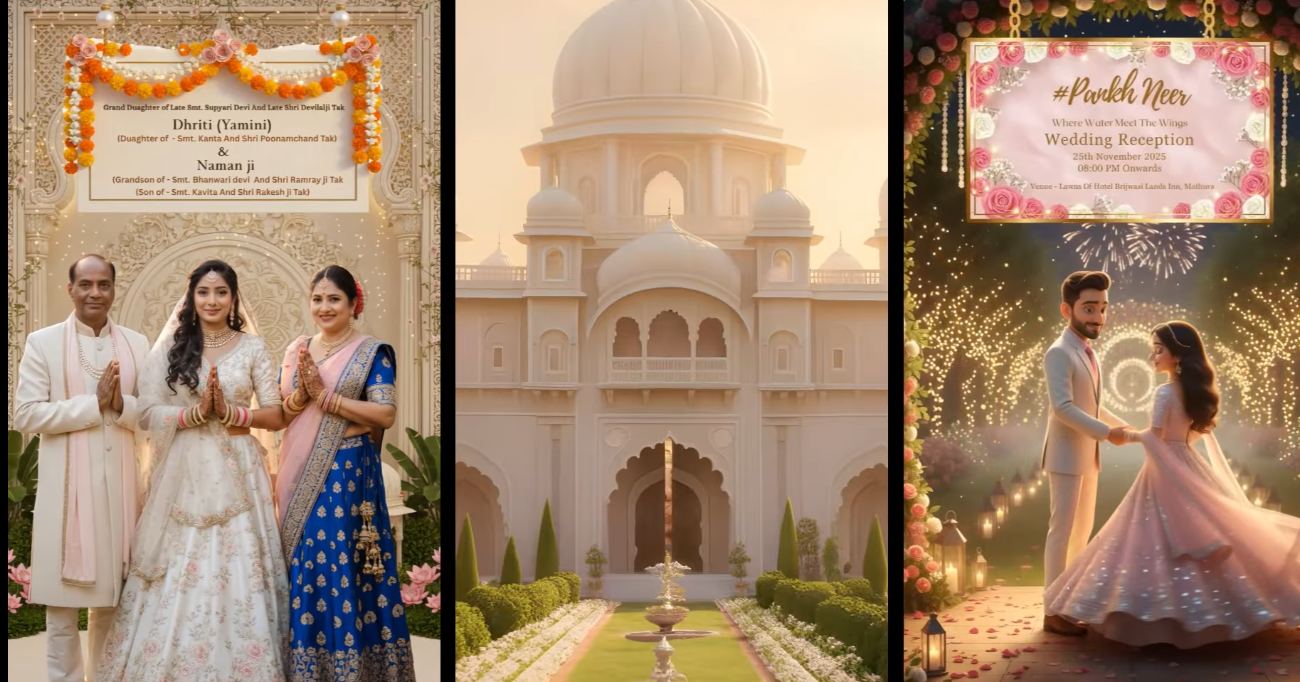
Creating a beautiful invitation video no longer requires professional cameras, designers, or expensive software. With the power of AI, you can now transform a simple idea into a complete cinematic invitation video in just a few minutes.
In this blog, we’ll walk through a practical workflow that shows how an AI invitation video can be created without using any reference images, relying purely on imagination, clear instructions, and smart iteration.
Starting With Just an Idea (No Reference Images)
Earlier, most AI-generated invitation videos depended heavily on reference images. Having a reference made prompt creation easier and results more predictable.
But this approach takes things a step further.
Here, the challenge was simple but powerful:
Create a complete invitation video using only an idea—no reference images at all.
The idea used in this example was:
- A first birthday invitation for a one-year-old baby
- A spiritual and emotional theme
- Divine blessings, celebration moments, and a warm, magical atmosphere
At first, this may feel difficult. But with the right process, it becomes completely achievable.
Converting an Idea Into a Clear Story
The first step is turning a vague thought into a structured story.
Instead of randomly generating images, the full concept was written clearly:
- What the video is about
- What emotions it should convey
- What should appear in each scene
Each frame was planned individually:
- Scene 1: The opening spiritual setup
- Scene 2: The baby in a divine, peaceful environment
- Scene 3: Blessings, celebration, and emotional moments
Writing this story clearly is crucial because AI works best when your instructions are precise.
Using AI to Refine the Vision
Once the story was written, AI helped convert the rough idea into a clean, clear visual vision.
Each scene was:
- Broken into short, understandable descriptions
- Refined to match the original imagination
- Explained in simple visual language
This step helps confirm whether the AI truly understands your idea. When the refined version matches your imagination, you’re ready to move forward.
Generating Detailed Image Prompts (3D Style)
After finalizing the story, the next step was creating detailed prompts for each frame.
Key points included:
- 3D animated style
- Clear facial expressions
- Defined emotions
- Specific camera angles
- Lighting and environment details
Instead of generating all images at once, each scene was tested individually. This ensures the prompts actually work before committing to the entire video.
Image Generation and Iteration
Image generation is rarely perfect on the first try—and that’s completely normal.
Some images turned out exactly as imagined.
Others needed multiple attempts.
For example:
- One scene required a newborn baby look, but the first result looked too old
- Another attempt fixed the baby’s age but missed the camera angle
- A third attempt finally delivered the perfect result
The key lesson here is:
AI improves when you analyze results and refine instructions.
Sometimes switching to a fresh chat and re-entering the prompt can also produce better results.
Turning Images Into Motion (Video Clips)
Once all images were ready, the next step was adding motion.
Each image was converted into a short animated clip using AI motion tools:
- Slow camera rotation
- Gentle zoom-ins
- Smooth butterfly movements
- Soft walking animations
- Emotional interactions between characters
The motions were intentionally kept minimal and smooth to maintain a cinematic and elegant feel.
Final Editing and Video Assembly
After generating all video clips:
- Clips were downloaded
- Only the best parts were selected
- Simple cuts, slow motion, and fast motion were applied
- Soft transitions were added
No complex editing was required—just clean storytelling and timing.
And just like that, a complete AI invitation video was ready.
Key Takeaways
- You don’t need reference images to create stunning AI videos
- Clear ideas + detailed instructions = powerful results
- Trial and error is part of the process
- AI creativity improves with patience and refinement
- Even emotional, spiritual stories can be beautifully visualized using AI
Final Thoughts
This workflow proves that AI is not just a tool—it’s a creative partner. With the right vision and persistence, you can turn a simple idea into a professional-looking invitation video that feels emotional, personal, and magical.
If you keep experimenting, refining, and learning, the possibilities with AI are truly limitless.
