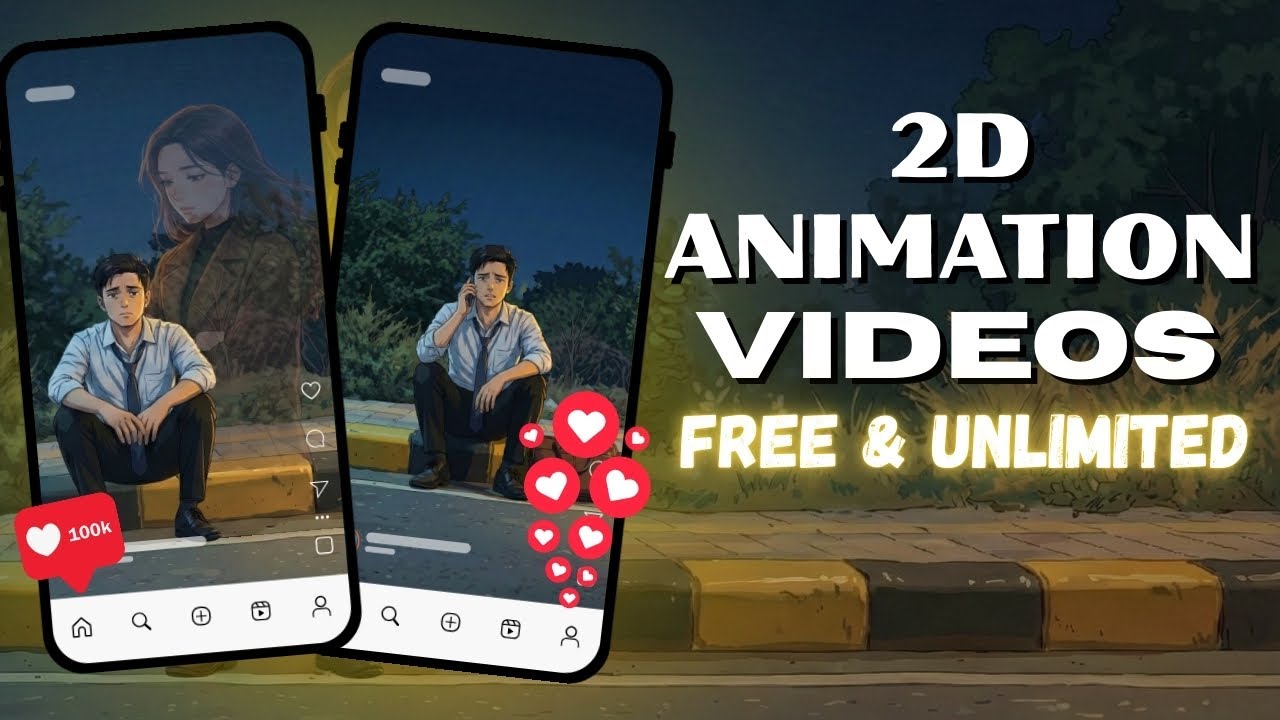
Creating emotional and engaging videos for social media used to take a lot of time, skill, and money. Only professional editors and designers could do it. But today, with the power of Artificial Intelligence (AI), anyone can create high-quality animated videos in just a few minutes—completely free.
In this blog, you’ll learn how to make powerful AI-generated videos with emotional storytelling using simple tools like ChatGPT, Google Gemini, and Growth AI.
Let’s get started.
Why Emotional AI Videos Are Going Viral
On platforms like YouTube, Instagram, and Facebook, emotional storytelling videos are gaining millions of views. These videos often show:
- Struggles of youth
- Financial problems
- Family expectations
- Motivation and life lessons
- Real-life emotions
People connect deeply with such content, which helps creators grow fast on social media.
Earlier, making these videos required animation skills and expensive software. Now, AI makes it possible in minutes.
Tools You Need to Create AI Videos
To create these viral videos, you only need three free tools:
1. ChatGPT
Used for generating detailed image prompts from reference images.
2. Google Gemini
Used to generate high-quality 2D-style images using AI.
3. Growth AI (or Similar AI Video Tool)
Used to add motion, expressions, and voice to images.
These tools work together to create professional animated videos.
Step-by-Step Guide to Create AI Videos
Step 1: Generate an Image Prompt Using ChatGPT
First, open ChatGPT.
- Upload a reference image (if you have one).
- Ask ChatGPT to describe the image in detail.
- Request the description in 2D animation style.
Example prompt:
“Describe this image in detail in 2D animated style.”
ChatGPT will generate a detailed prompt. Copy it.
Step 2: Create AI Image Using Google Gemini
Now open Google Gemini.
- Select “Pro Mode” if available.
- Click on “Create Image.”
- Paste the prompt from ChatGPT.
- Submit it.
Within seconds, Gemini will generate a beautiful 2D-style image.
Download the image.
Step 3: Add Motion and Voice Using Growth AI
Now go to Growth AI (or any similar AI video generator).
- Choose “Image to Video.”
- Upload the image you created.
- Write instructions for emotions and dialogues.
Example Prompt:
Man is sad emotionally.
Speaking slowly with soft voice.
"My friends earn in lakhs. I stay silent in front of them."

Then background invisible woman voice says:
"Because you compare your life with others."

Man stays quiet during woman’s dialogue.
This helps AI understand:
- Who is speaking
- Emotion level
- Voice tone
- Expression timing
Submit the prompt.
Step 4: Download and Edit
After processing:
- The AI will generate a video with gestures, facial expressions, and voice.
- Download it in HD quality.
- You can scale it, trim it, or merge clips using any video editor.
Combine multiple clips to create a complete story.
Why This Method Works So Well
This AI workflow is powerful because:
✅ No camera required
✅ No acting needed
✅ No animation skills
✅ No expensive software
✅ No editing experience
You only need creativity and storytelling.
AI handles everything else.
Benefits of Making AI Videos
1. Time Saving
Videos are created in 5–10 minutes.
2. Zero Cost
Most tools are free.
3. Unlimited Content
You can make hundreds of videos.
4. High Engagement
Emotional videos attract more views.
5. Perfect for Beginners
No technical knowledge needed.
Best Content Ideas for AI Videos
You can create videos on:
- Motivational stories
- Family emotions
- Career struggles
- Love stories
- Life lessons
- Success journeys
- Poverty to success
- Student life struggles
These topics perform extremely well on social media.
Tips to Make Your Videos Go Viral
Follow these tips:
🔹 Use Simple Language
People connect more with simple dialogues.
🔹 Add Real Emotions
Mention sadness, hope, fear, and motivation in prompts.
🔹 Keep Videos Short
30–60 seconds works best.
🔹 Upload Regularly
Consistency builds audience.
🔹 Add Trending Music
Background music increases reach.
Example Workflow Summary
Here is the complete process:
1️⃣ Upload image to ChatGPT → Get detailed prompt
2️⃣ Paste prompt in Google Gemini → Generate image
3️⃣ Upload image to Growth AI → Add dialogue & emotion
4️⃣ Download video → Edit & post
That’s it!
Can Anyone Do This?
Yes! Anyone can create AI videos:
- Students
- Creators
- Business owners
- Influencers
- Beginners
No experience required.
If you can type, you can make videos.
Monetization Opportunity
With these AI videos, you can earn money by:
- YouTube Monetization
- Instagram Reels Bonus
- Brand Collaborations
- Affiliate Marketing
- Paid Promotions
Many creators are already earning lakhs using this method.
Final Thoughts
AI has completely changed content creation. What once took weeks now takes minutes.
With tools like ChatGPT, Google Gemini, and Growth AI, you can create:
✔ Professional
✔ Emotional
✔ High-quality
✔ Viral-ready videos
All for free.
If you start today and stay consistent, you can build a strong social media presence very fast.
