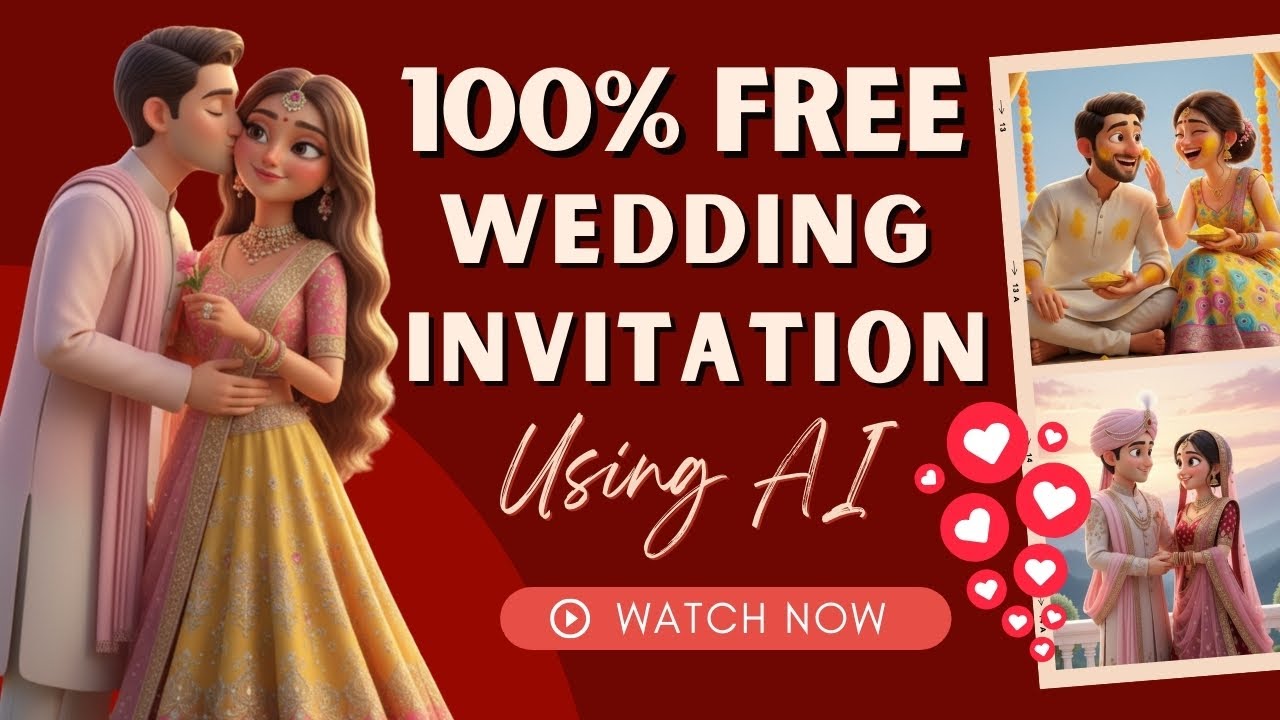
In today’s digital era, wedding invitations are no longer limited to printed cards. Couples now prefer 3D animated video invitations with romantic dialogues, cinematic visuals, and emotional storytelling. These modern invites not only look premium but also go viral easily on social media platforms like YouTube, Instagram, and WhatsApp.
The best part?
You can now create 100% free and unlimited viral wedding invitations using AI tools—without any technical skills, editing software, or expensive designers.
In this blog, you’ll learn a complete step-by-step method to create professional 3D wedding invitations using free AI tools.
Why Choose AI-Based Wedding Invitations?
Before jumping into the process, let’s understand why AI wedding invites are becoming so popular:
✅ Cost-Effective
Traditional video editing and animation are expensive. AI tools allow you to create stunning videos for free.
✅ Time-Saving
What used to take days can now be done in minutes.
✅ Professional Quality
AI generates cinematic visuals, realistic characters, and smooth animations.
✅ Multilingual Support
You can create invitations in English, Hindi, or any language.
✅ Highly Shareable
Animated video invites are perfect for social media sharing and viral reach.
Tools You’ll Need
To create viral wedding invitations, you’ll mainly use three free tools:
- Pinterest – For reference images
- ChatGPT – For generating detailed prompts
- Google AI Image Generator – For creating images
- GoKI / Grow AI – For converting images into videos
All these tools have free versions and are beginner-friendly.
Step 1: Find Reference Images on Pinterest
Start by searching for inspiration.
How to Do It:
- Open Pinterest
- Search for:
👉 “Wedding Invitation 3D”
👉 “Animated Wedding Poster”
👉 “Couple Wedding Illustration”
Browse through the results and choose an image that matches your style. It could be:
- Royal theme
- Traditional Indian theme
- Modern couple style
- Cartoon or cinematic look
Download your favorite reference image.
This image will help AI understand your visual expectations.
Step 2: Upload Image to ChatGPT for Detailed Prompt
Now, open ChatGPT and upload the downloaded image.
What to Do:
Type a simple instruction like:
“Create a detailed prompt for this image.”
ChatGPT will generate a professional AI prompt including:
- Character appearance
- Background details
- Lighting style
- Camera angle
- Mood and environment
Copy this generated prompt.
This step is very important because high-quality prompts lead to better results.
Step 3: Generate AI Image Using Google AI
Next, go to Google AI’s image generation tool.
Process:
- Click on “Create Image”
- Paste the prompt generated by ChatGPT
- Select “Pro” or “Fast” mode
- Click Submit
Within seconds, you’ll get high-quality AI-generated images.
Choose the best one and download it.
Now you have a custom-made wedding couple image.
Step 4: Convert Image into Video Using GoKI / Grow AI
This is the magic step where your image becomes an animated video.
How to Do It:
- Open GoKI (Grow AI) platform
- Sign in using your Google account
- Click on “Imagine” or “Image to Video”
- Upload your generated image
- Select:
- Aspect Ratio (9:16 for Reels/Shorts, 16:9 for YouTube)
- Resolution (HD/Full HD)
- Duration (6–10 seconds recommended)
Once uploaded, the tool automatically starts creating a basic video.
Step 5: Add Motion & Dialogues with Custom Prompts
Now comes the most exciting part—adding romance and emotions.
You can write custom prompts to tell AI:
- How characters should move
- What dialogues they should speak
- Facial expressions
- Body gestures
Example English Dialogue Prompt:
“The couple looks at each other lovingly. The groom says: ‘You look so beautiful today.’ The bride replies: ‘I feel so lucky to be with you.’ Both smile emotionally.”
Example Hindi Dialogue Prompt:
“लड़का प्यार से कहता है: आज तुम बहुत सुंदर लग रही हो। लड़की मुस्कुराकर जवाब देती है: मैं बहुत खुश हूँ।”
Paste your prompt and click Submit.
The AI will generate a realistic talking video with proper voice synchronization.
Step 6: Generate Multiple Versions
Don’t stop at one video.
You can create multiple versions such as:
- Engagement Invite
- Haldi Ceremony
- Mehendi Invite
- Wedding Day Reminder
- Reception Invite
Each version can have different dialogues and moods.
With the free version, you can create around 20 videos per day, which is more than enough for personal use or business.
Step 7: Download and Share
Once satisfied:
- Click on the three dots
- Download the video
- Share on:
- Instagram Reels
- YouTube Shorts
Your digital wedding invitation is ready!
Extra Uses of This AI Method
This method is not limited to wedding invitations. You can also create:
🎯 Kids Videos
Create animated birthday and storytelling videos.
🎯 AI Ads
Generate promotional videos for businesses.
🎯 Love Stories
Create romantic reels for couples.
🎯 YouTube Content
Make short films and animated stories.
🎯 Event Invitations
Birthday, anniversary, baby shower, and party invites.
Tips to Make Your Invitations Viral
If you want maximum reach, follow these tips:
✔ Use Emotional Dialogues
People connect more with emotional content.
✔ Keep Duration Short
6–10 seconds works best for Shorts and Reels.
✔ Add Background Music
Soft romantic music increases engagement.
✔ Use Vertical Format
9:16 is ideal for mobile viewers.
✔ Add Subtitles
Subtitles help viewers understand clearly.
Benefits for Content Creators & Business Owners
If you’re a digital marketer, freelancer, or YouTuber, this skill can help you earn money.
You can offer:
- Wedding invitation services
- Video creation packages
- Social media reels
- Custom AI videos
Many creators charge ₹1,000 to ₹5,000 per video using these tools.
With practice, you can build a profitable side business.
Final Thoughts
AI has completely transformed the way wedding invitations are created. With free tools like ChatGPT, Google AI, and GoKI, anyone can design high-quality 3D animated wedding invitations without spending money.
This method is:
✔ Free
✔ Easy
✔ Fast
✔ Professional
✔ Beginner-Friendly
Whether you’re creating an invitation for your own wedding or starting a creative business, this AI workflow can help you stand out.
If you start practicing today, you can master this skill within a week.
