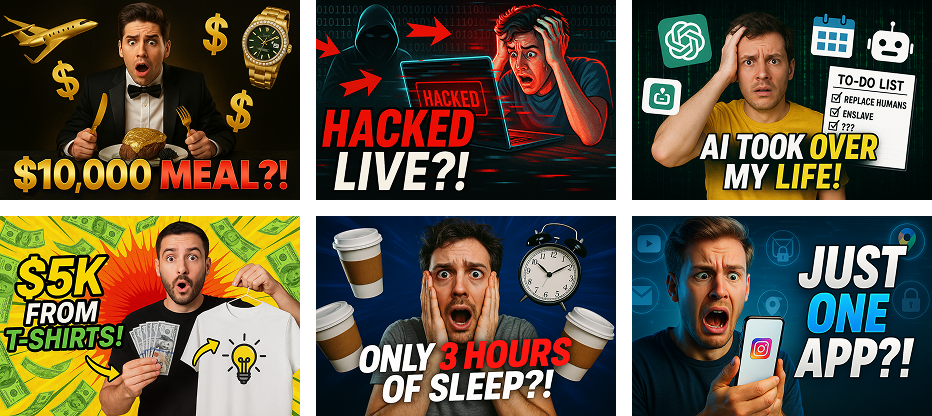
(YouTube + Instagram Combo – Complete Guide)
Aaj ke time me content viral hota hai thumbnail se. Chahe aap YouTube Shorts bana rahe ho ya Instagram Reels — agar thumbnail strong nahi hai, to best video bhi skip ho jata hai.
Good news? Ab aapko Photoshop, Canva ya graphic designer par depend rehne ki zarurat nahi. Gemini AI ki madad se aap high-CTR, emotional, professional aur viral thumbnails sirf minutes me bana sakte ho.
Is blog me hum step-by-step samjhenge:
- Gemini AI se viral thumbnails kaise banaye
- Kaunse elements thumbnail ko viral banate hain
- YouTube + Instagram dono ke liye perfect combo kaise create kare
Gemini AI Kya Hai & Thumbnails Ke Liye Kyun Best Hai?
Google ka Gemini AI ek advanced AI tool hai jo images, text aur creativity ko combine karta hai. Ye sirf image generate nahi karta, balki:
- Face expressions ko samajhta hai
- Lighting aur depth control karta hai
- Emotion + storytelling ko thumbnail me convert karta hai
Isi wajah se Gemini AI reels aur shorts thumbnails ke liye perfect hai.
Viral Thumbnail Kyun Important Hai?
YouTube aur Instagram dono platforms me:
- Pehle thumbnail dikhta hai
- Phir title/caption
- Uske baad video play hota hai
👉 Agar thumbnail weak hai:
- CTR kam
- Reach kam
- Algorithm push nahi karta
👉 Agar thumbnail strong hai:
- Click zyada
- Watch time improve
- Video viral hone ke chances high
Viral Reels Thumbnail Ke 5 Golden Elements
4
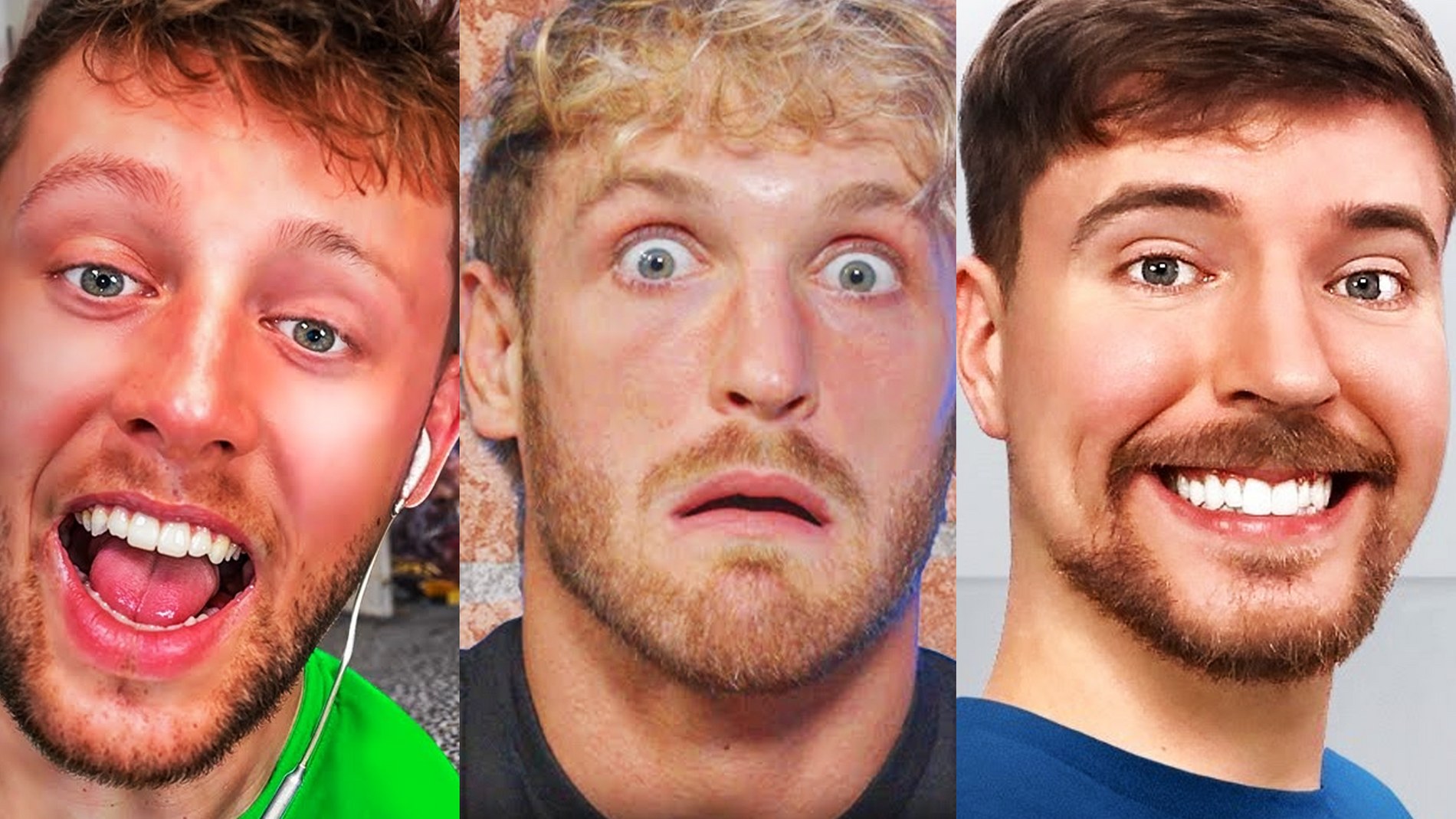
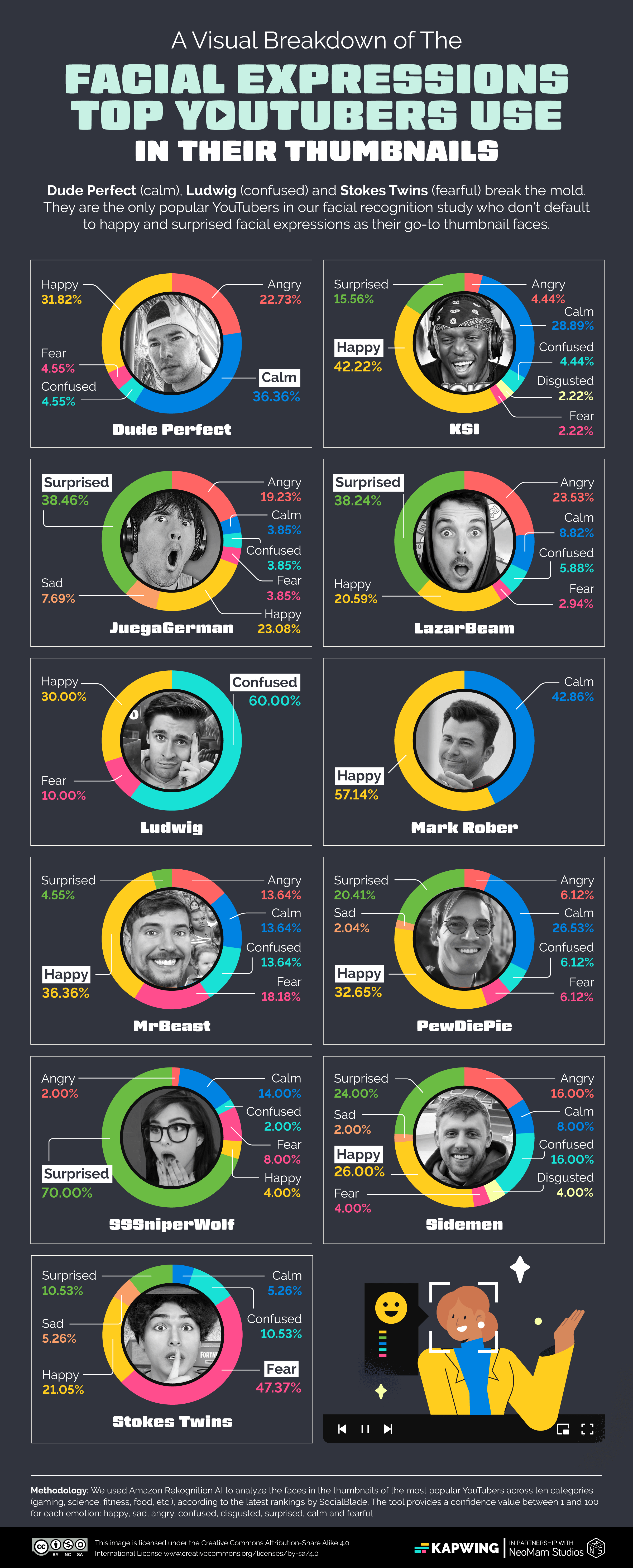
1️⃣ Strong Facial Expression
Emotion sabse bada trigger hai:
- Shock 😱
- Happiness 😍
- Confusion 🤔
- Confidence 😎
Gemini AI expressions ko naturally enhance karta hai — fake nahi lagte.
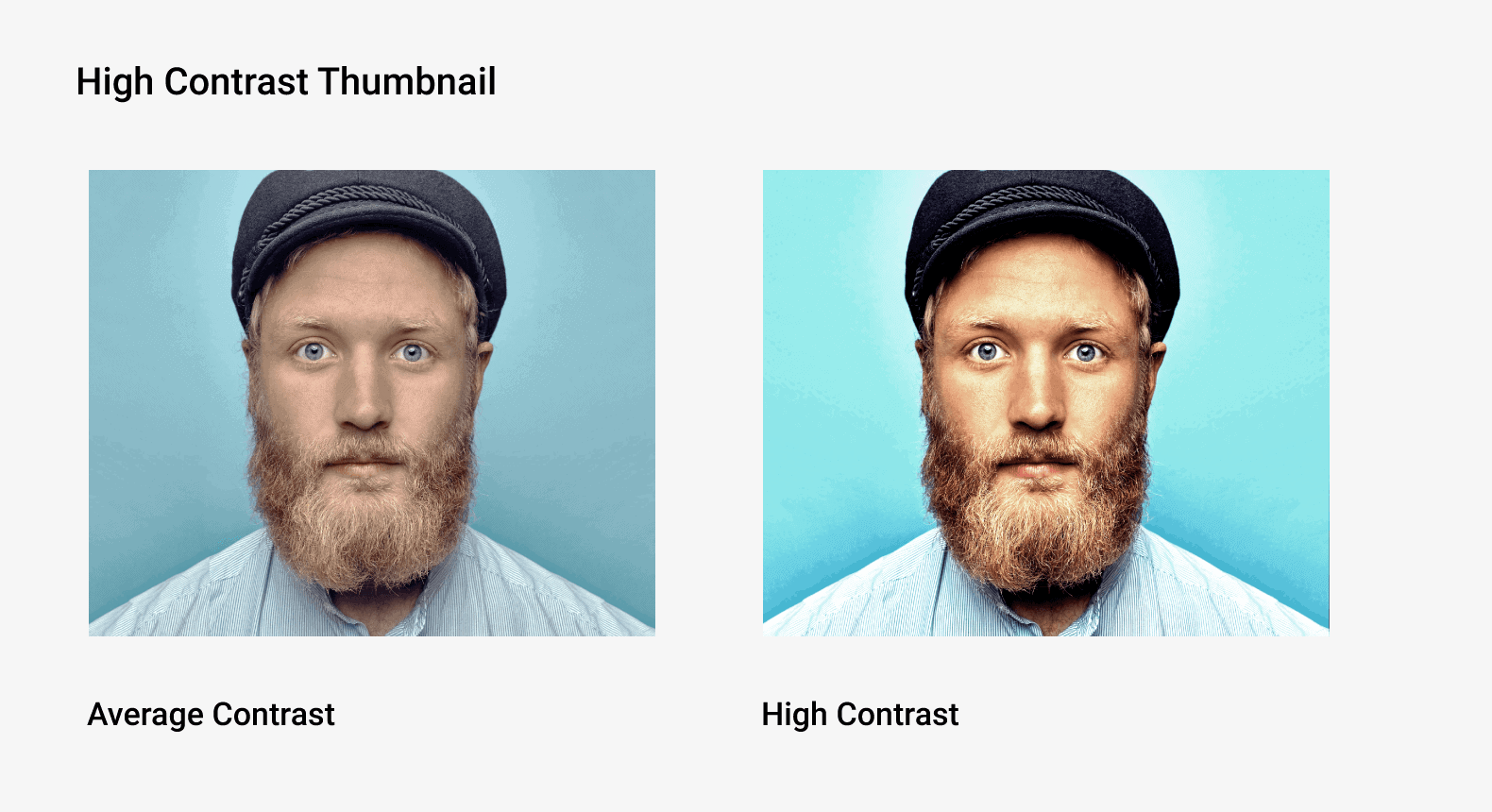
2️⃣ Clean & High Contrast Look
- Subject clear ho
- Background thoda blurred ya simple ho
- Colors pop kare
Rule: Mobile screen par bhi thumbnail readable hona chahiye.
3️⃣ Clear Focus (One Hero Element)
Ek hi cheez focus me rakho:
- Face
- Product
- Text (max 2–3 words)
Overloaded thumbnail kabhi viral nahi hota.
4️⃣ Bold Composition (Camera Angle Matters)
- Close-up
- Slight low angle
- 3⁄4 face angle
Gemini AI se aap camera angle control kar sakte ho — jo thumbnails ko premium banata hai.
5️⃣ Platform Friendly Ratio
- YouTube Shorts: 9:16
- Instagram Reels: 9:16
- Thumbnail ko dono platforms ke liye reusable banao.
Gemini AI Se Viral Thumbnail Kaise Banaye (Step-by-Step)


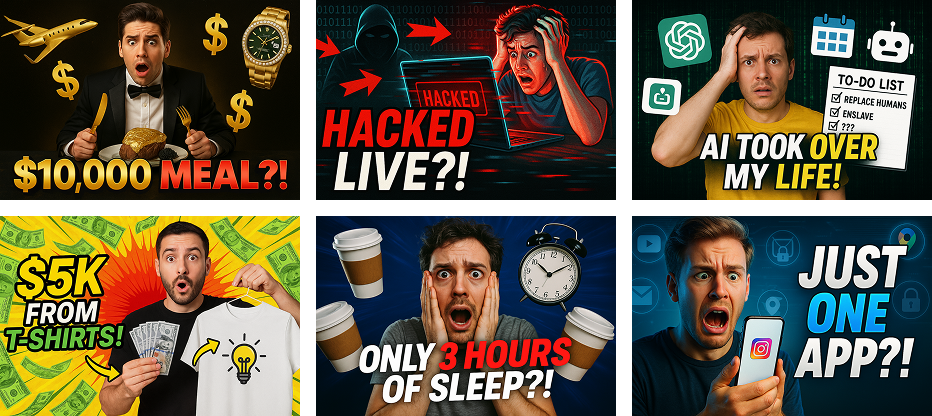
Step 1️⃣ Gemini AI Open Kare
Gemini AI ko open karke image generation / image editing option select kare.
Step 2️⃣ Base Image Upload Kare
Upload kar sakte ho:
- Apni photo
- Video ka screenshot
- Product image
👉 Best result ke liye clear, well-lit photo use kare.
Step 3️⃣ Thumbnail-Focused Prompt Likhe
Sample Prompt (English):
“Create a viral YouTube Shorts and Instagram Reels thumbnail using the uploaded image. Keep the same face and outfit. Add a dramatic close-up camera angle, expressive facial emotion, high contrast lighting, blurred background, cinematic look, professional thumbnail style. No text.”
Agar text chahiye:
“Add bold readable text on one side with clean spacing.”
Step 4️⃣ Multiple Variations Generate Kare
Same image se:
- Close-up version
- Medium shot version
- High-emotion version
👉 Fir best thumbnail choose karo (A/B testing ke liye gold).
YouTube + Instagram Combo Strategy
🎯 YouTube Shorts
- Thoda dramatic expression
- Slightly high contrast
- Clear face focus
🎯 Instagram Reels
- Clean & aesthetic look
- Soft cinematic lighting
- Minimal clutter
💡 Pro Tip:
Ek hi Gemini AI thumbnail ko thoda adjust karke dono platforms ke liye use karo.
Gemini AI Thumbnail Ideas (High-CTR)
- 😱 “99% Log Ye Galti Karte Hai” style expression
- 🤯 Before vs After look
- 😎 Confident AI creator pose
- 🔥 Product + reaction face
Gemini AI me ye sab prompt se control ho jata hai.
Creators Ke Liye Real Benefits
🎥 Content Creators
- Reels & Shorts ke liye fast thumbnails
- CTR improve
- Consistent visual branding
📈 Digital Marketers
- A/B testing ke liye multiple thumbnails
- Ads creatives reuse
- Cost saving
🧠 AI Learners
- Prompt engineering practice
- Portfolio strong
- Skill monetization possible
Pro Tips (Advanced Level)
✔️ “Same face, same outfit” likhna mat bhulo
✔️ Ek prompt = ek idea (mix mat karo)
✔️ Mobile view ke liye preview check karo
✔️ Expressions ko exaggerate nahi, enhance karo
Final Conclusion
Agar aap chahte ho ki:
- Aapki reels ruk-ruk kar dekhi jaye
- Shorts pe click aaye
- Algorithm aapko push kare
To Gemini AI se viral reels thumbnails banana ek must skill hai.
Sirf ek image, sahi prompt aur thoda creativity — bas itna kaafi hai.
