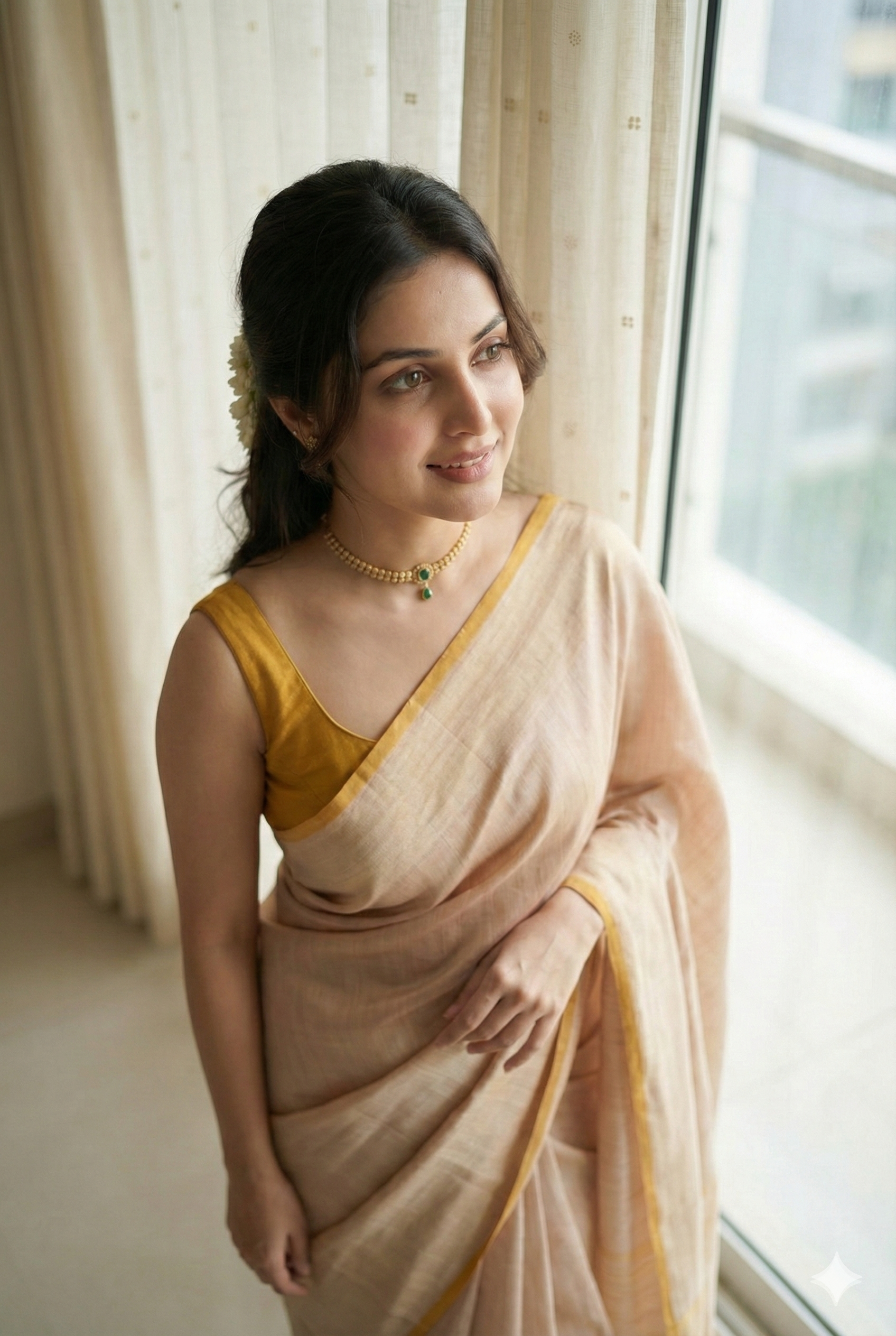
Artificial Intelligence has made image generation incredibly powerful—but there’s still one big giveaway that exposes most AI-generated images instantly: plastic-looking skin texture.
If you’ve ever looked at an AI image and thought, “This looks fake”, chances are the skin texture was the problem.
In this guide, you’ll learn how to generate ultra-realistic, human-like AI images using the right prompts and a proven process, exactly as explained in this video:
👉
Let’s break it down step by step.
Why Most AI Images Look Fake
The biggest issue with AI-generated human images is over-smooth, artificial skin. This “plastic skin” effect makes images easy to identify as AI-generated, even for non-experts.
Real human skin has:
- Natural pores
- Fine texture
- Soft imperfections
- Realistic lighting interaction
If your prompt doesn’t explicitly ask for this, AI will default to an unrealistic, glossy look.
The Secret: Your Prompt Decides Everything
No matter which AI tool you use, the prompt is the most important factor.
A perfect prompt ensures:
- Real human-like skin texture
- Natural lighting
- Accurate facial proportions
- Professional photographic quality
One key line that must always be included in your prompt is:
“Real human skin texture, no plastic or artificial skin look”
This single instruction drastically improves realism.
Step 1: Use a Reference Image to Generate a Perfect Prompt
To create highly realistic images, first take a reference image (any professional photo).
Upload it to ChatGPT and ask:
“Give me a detailed prompt to recreate this exact image. Same hairstyle, same outfit, same background. I will not upload the reference image again, so the prompt must be detailed and perfect. The model’s skin texture should look like real human skin, not plastic.”
This helps you extract:
- Camera angle
- Lighting style
- Outfit details
- Pose
- Background depth
Now you have a high-precision prompt ready.
Step 2: Generate Images Using Google Gemini (Nano Banana / Pro Mode)
Once your prompt is ready:
- Open Google Gemini
- Click on Create Image
- Choose Pro Mode
- Paste your detailed prompt
- Generate the image
Even if the preview looks slightly blurry, download the image—the final output will be high-resolution and ultra-realistic.
At this stage, you’ll get a random AI model, but with real human-like skin texture.
Step 3: Turn Yourself Into a Brand Model (Face Matching Trick)
This is where it gets powerful.
To generate your own AI model (your face, your brand), make two small changes to the prompt.
Add this line after the character description:
“(Exact same face as uploaded image character, 100% face matchability)”
Add this line at the end:
“Keep the character face exactly the same age as in the reference image.”
Now:
- Upload your own photo
- Use the same detailed prompt
- Submit the request
The result?
A realistic AI version of YOU, wearing any outfit, in any environment, with natural human skin texture.
Why This Method Works So Well
This process works because:
- The prompt controls realism
- Explicit skin texture instructions prevent plastic effects
- Face-matching lines guide Gemini accurately
- Lighting + camera details add photographic depth
The final image becomes so realistic that it’s almost impossible to tell whether it’s AI-generated or a real photograph.
How You Can Use These AI Images
You can use these ultra-realistic AI images for:
- Personal branding
- Instagram & social media content
- Product marketing
- Fashion mockups
- Website hero images
- AI model creation for brands
You essentially become your own virtual brand model.
Final Thoughts
Creating realistic AI images isn’t about luck—it’s about precision prompting.
Once you understand:
- How to control skin texture
- How to extract prompts from reference images
- How to use face-matching correctly
You can create studio-quality, human-like AI images consistently.
📺 Watch the full video tutorial here for a visual walkthrough:
If you found this guide useful, try these techniques yourself—you’ll be shocked by the results.
