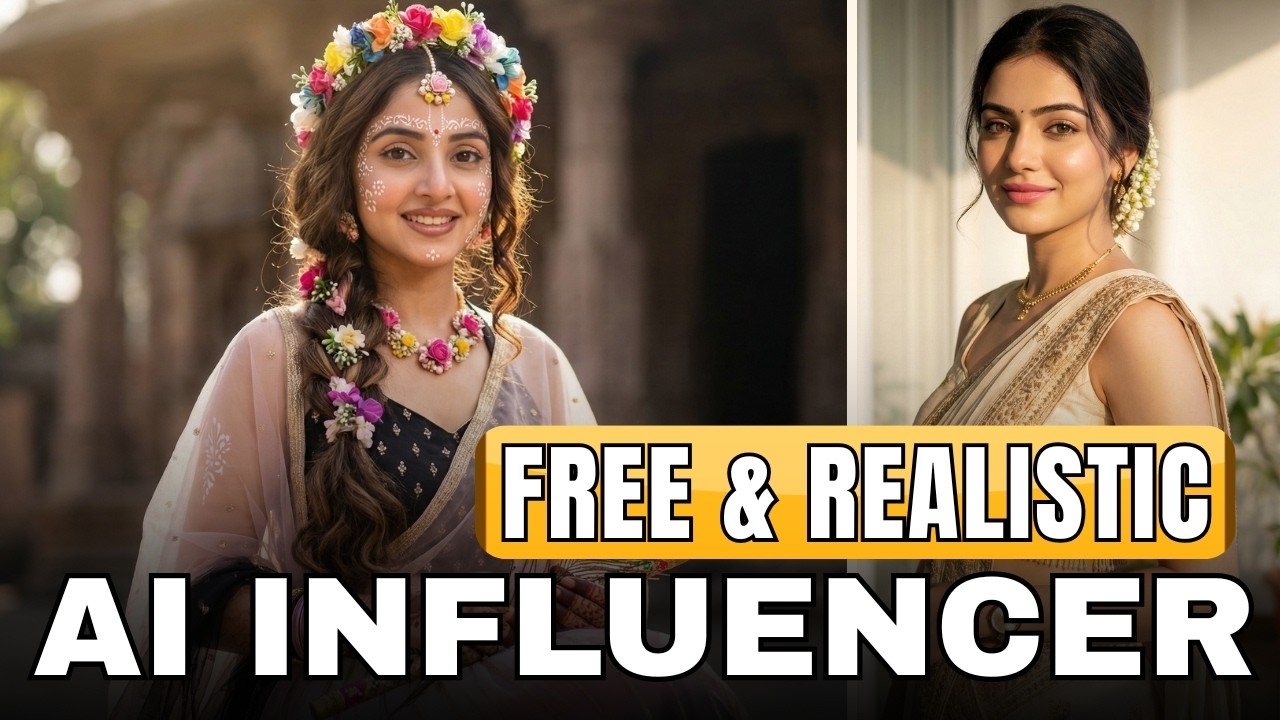
In the last few years, artificial intelligence has completely transformed the way content is created on social media. One of the most exciting trends right now is AI Influencers — digital personalities that look and act like real humans but are completely generated using AI tools.
If you scroll through Instagram, YouTube Shorts, or TikTok, you may have already seen these influencers. They talk, smile, promote products, and even tell stories just like real creators. The surprising part is that many of them are not real people at all.
The good news is that you can create your own realistic AI influencer in just a few minutes — and you can do it for free. In this guide, you will learn a simple step-by-step process to generate an AI influencer image and turn it into a talking video.
Why AI Influencers Are Becoming Popular
AI influencers are becoming extremely popular because they offer creators and brands a powerful advantage. Unlike real influencers, AI characters can be customized completely according to your needs.
You can decide their age, appearance, clothing style, personality, and even the language they speak. This gives content creators unlimited creative freedom.
Brands are also using AI influencers for marketing because they can produce content quickly without the challenges of scheduling shoots, hiring models, or dealing with production costs.
For YouTube creators, AI influencers are a great way to create engaging videos, storytelling content, educational clips, and promotional material.
Step 1: Create Your AI Influencer Image
The first step in creating an AI influencer is generating a realistic image.
To do this, you can use Google Gemini, which has a powerful image generation feature.
Start by opening Google Gemini and selecting the Pro version if available. Then choose the option to generate an image.
Next, you will need a prompt. A prompt is simply a description that tells the AI what kind of influencer you want.
Your prompt can include details such as:
- Age of the influencer
- Nationality (Indian, American, etc.)
- Gender (male or female)
- Skin tone and facial features
- Hair style and hair color
- Body type
- Clothing style
- Accessories like jewelry or glasses
For example, you might write something like:
A young Indian woman influencer, 23 years old, long black hair, natural makeup, confident smile, wearing modern casual clothes, standing in a bright studio environment with soft lighting.
The more details you include, the better the AI will understand what you want.
One helpful trick is to divide your prompt into sections such as appearance, clothing, facial features, and environment. This makes it easier to edit and customize later.
If you want a male influencer, simply replace “young Indian woman” with young Indian man.
If you want a different nationality, you can change that too.
Once your prompt is ready, select the aspect ratio you want. For social media videos, a 9:16 vertical ratio works best.
After that, click generate.
Within a few seconds, Gemini will create a realistic influencer image.
Step 2: Download the Image in High Quality
When the image first appears inside Gemini, it may look slightly blurred or low resolution.
Don’t worry — this is normal.
Once you download the image, you will notice that the actual quality is much higher and clearer.
This image will become the base character for your AI influencer.
Step 3: Turn the Image into a Talking Video
Now comes the most interesting part — making your AI influencer talk.
To do this, you can use a free AI animation tool like Groq or similar AI animation tools that support image-to-video generation.
Upload the influencer image you generated earlier.
Then choose the Animate Image option.
This feature allows the AI to bring the static image to life by adding movement, facial expressions, and lip syncing.
Step 4: Write the Dialogue for the Influencer
Once the image is uploaded, you will need to tell the AI what your influencer should say.
This is done by writing a small script.
For example, you can write:
“Hi everyone! Today I’m going to show you something amazing that can help you create content faster using AI.”
You can also describe the influencer’s expressions and actions.
For example:
Woman speaking with a smile, friendly expression, natural hand gestures, confident influencer style.
Adding small details like smiling, natural gestures, and confident posture helps the animation look more realistic.
Step 5: Use the Correct Language for Better Lip Sync
One important tip when generating AI videos is to write the dialogue in the same language you want the influencer to speak.
For example:
- If the influencer will speak Hindi, write the script in Hindi.
- If the influencer will speak English, write the script in English.
If you mix languages or write Hindi using English letters, the pronunciation may sound unnatural.
Using the correct script improves lip syncing and voice clarity.
Step 6: Generate the Final AI Influencer Video
After writing the script and instructions, simply click Generate.
Within a short time, the AI tool will create a video where your influencer:
- Moves naturally
- Speaks your dialogue
- Shows facial expressions
- Uses subtle gestures
The result looks surprisingly realistic.
You can now download the video and upload it to platforms like YouTube Shorts, Instagram Reels, or TikTok.
Final Thoughts
AI influencers are opening a new era of content creation. With just a few simple tools, anyone can create realistic digital characters that speak, interact, and engage with audiences.
This technology is especially useful for:
- Content creators
- Digital marketers
- YouTubers
- Social media managers
- Online businesses
Instead of spending time and money on traditional shoots, you can generate professional content using AI in minutes.
As AI technology continues to improve, AI influencers will become even more realistic and powerful.
