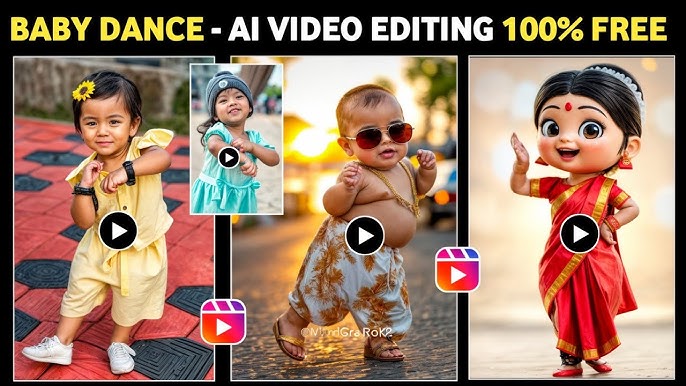
AI baby dancing videos are going viral on social media platforms like Instagram Reels, YouTube Shorts, and Facebook. Many creators try paid tools like Kling AI, but they face issues such as expensive plans, slow processing, and credit limits.
If you are looking for a 100% free method to create AI baby dancing videos and AI animations, this guide will help you from start to finish.
In this blog, you’ll learn how to create AI baby dance videos using Anon AI, explained in a very simple and beginner-friendly way pasted.
Watch the Full Video Tutorial
Before starting, you can watch the complete video tutorial for better understanding:
👉 YouTube Video:
https://www.youtube.com/watch?v=nhOq1kg6Bcc
This video visually explains every step covered in this blog.
What Is Anon AI?
Anon AI is a free AI tool that allows you to create:
- AI baby dancing videos
- Image-to-video animations
- Text-to-video content
- Unlimited AI images
- Cartoon and AI character videos
Most importantly, many features are completely free, making it ideal for beginners and content creators.
Why Choose Anon AI?
Compared to paid AI tools, Anon AI offers:
- No payment required
- No credit card needed
- Unlimited AI image generation
- Free AI video creation
- Simple and easy interface
It’s perfect for creators who want to experiment with AI without spending money.
Step-by-Step: How to Create AI Baby Dancing Videos
Step 1: Open Anon AI
- Open Google Chrome
- Search for “Anon AI”
- Open the first official website
- The Anon AI dashboard will load
Step 2: Use AI Image Features
Anon AI provides multiple image tools:
Text to Image
- Write a short description
- Generate AI images instantly
- Unlimited and free
Image Editing
- Remove unwanted objects
- Add new elements easily
- Beginner-friendly interface
⚠️ Multi-image reference is available only in the paid studio version.
Step 3: Go to AI Video Section
Click on the AI / Video option.
Here you will see:
- Image-to-Video
- AI animation tools
- Character-based video creation
Step 4: Create Baby Dancing Videos (Role Play Feature)
This is the best feature for baby dancing videos.
What You Need:
- One AI or cartoon character image
- One reference dance video (maximum 7 seconds)
Steps:
- Upload your character image
- Upload a dance reference video (up to 7 seconds)
- Click Generate
- Wait for processing
⏳ Processing time is usually 15–20 minutes because this feature is newly launched.
Step 5: Preview Your Baby Dancing Video
Once generated:
- Dance movements are captured accurately
- Facial expressions look natural
- Motion feels smooth and engaging
⚠️ The tool slightly converts characters into a baby-face style, which actually works perfectly for baby dance videos.
Create Unlimited AI Videos (Fast Method)
Anon AI also offers a faster AI video feature.
How to Use It:
- Upload a cartoon or AI character image
- Write a simple prompt
Example:
“Musicians playing their instruments realistically” - Click Generate
✅ Faster video generation
✅ Unlimited usage
❌ Realistic human faces not supported
Limitations You Should Know
- Reference videos must be under 7 seconds
- Baby dance videos may take 15–20 minutes
- Real human videos are not supported
- Works best with AI or cartoon characters
- Some advanced features are paid
Best Use Cases for Anon AI
Anon AI is ideal for:
- Instagram Reels
- YouTube Shorts
- AI baby dancing videos
- Cartoon animations
- AI storytelling
- Music and dance content
Final Conclusion
If you want to create AI baby dancing videos for free, Anon AI is one of the best tools available right now. Despite a few limitations, the free features are powerful enough to create viral-ready content.
Start experimenting today and bring your AI characters to life—without spending any money.
