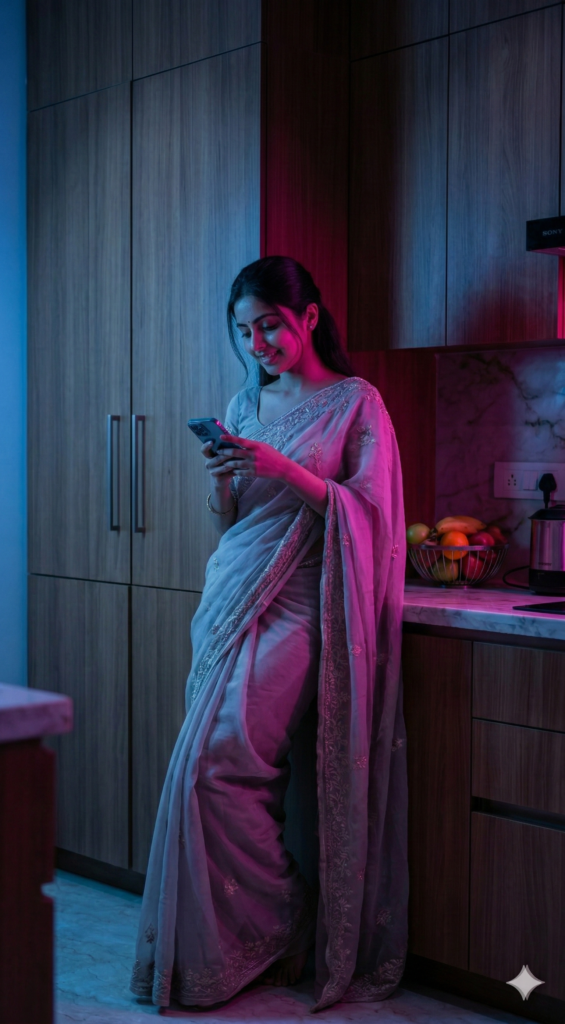
Lighting kisi bhi photo ya video ka sabse important element hota hai. Chahe aap product photography kar rahe ho, cinematic reels bana rahe ho, AI generated images create kar rahe ho, ya social media content produce kar rahe ho — ek perfect lighting setup aapke visual ko professional level par le jata hai. Aaj ke time me bahut se creators AI tools, image generators aur video tools ka use kar rahe hain jahan ready-to-use lighting prompts kaafi powerful role play karte hain.
Agar aapko cinematic look chahiye, luxury product feel chahiye, dramatic portrait lighting chahiye ya soft beauty lighting chahiye, to aapko alag-alag lighting setups samajhna zaroori hai. Isi liye light setup prompts ka concept creators ke liye bahut useful ho gaya hai. Ye prompts directly AI tools ya creative workflows me use kiye ja sakte hain jisse aap bina complex studio setup ke bhi professional lighting effect generate kar sakte ho.
Ready-to-use lighting prompts specially un creators ke liye helpful hote hain jo AI image generation tools, cinematic video tools, product photography prompts, ya digital art workflows use karte hain. In prompts ki help se aap soft diffused light, rim light, dramatic shadows, volumetric rays, studio beauty light, aur golden hour lighting jaise effects easily create kar sakte ho.
Is blog me hum aapko different types ke professional lighting setup prompts batayenge jo creators, designers, photographers aur AI artists ke liye extremely useful hain. Ye prompts aap directly apne projects me use kar sakte ho taaki aapke images aur videos me cinematic depth, realistic highlights aur professional visual quality aa sake.
1 Prompts
Main Prompt to adopt any light set up from reference image -  Use the first uploaded image as the base photo and the second uploaded image as the lighting reference.
Analyze the lighting conditions in the reference image and realistically recreate the same lighting on the base photo. Do NOT change the person in the base image and strictly preserve identity, face, body, pose, expression, clothing, camera angle, framing, and background geometry. Do NOT change the environment or any objects. Only the lighting may be modified. Carefully anglyze the reference image to determine light direction, number of light sources, hardness or softness of light, contrast level, color temperature balance, intensity ratios, shadow depth, highlight behavior, and overall exposure.
Recreate these lighting characteristics on the base image so that it appears as if both images were photographed in the same lighting conditions. Match the placement and behavior of highlights and shadows according to the reference, including shadow falloff, contrast distribution, and relative brightness levels. Match the color relationship between warm and cool areas, as well as any ambient or atmospheric light effects present in the reference image. Do NOT beautify, do NOT add studio lighting, do NOT introduce new light sources, do NOT flatten the face, and do NOT stylize. The lighting must remain physically realistic and consistent with real-world photography. The goal is a precise, photorealistic lighting transfer from the reference image to the base image, with no artistic
Output
2 Prompts
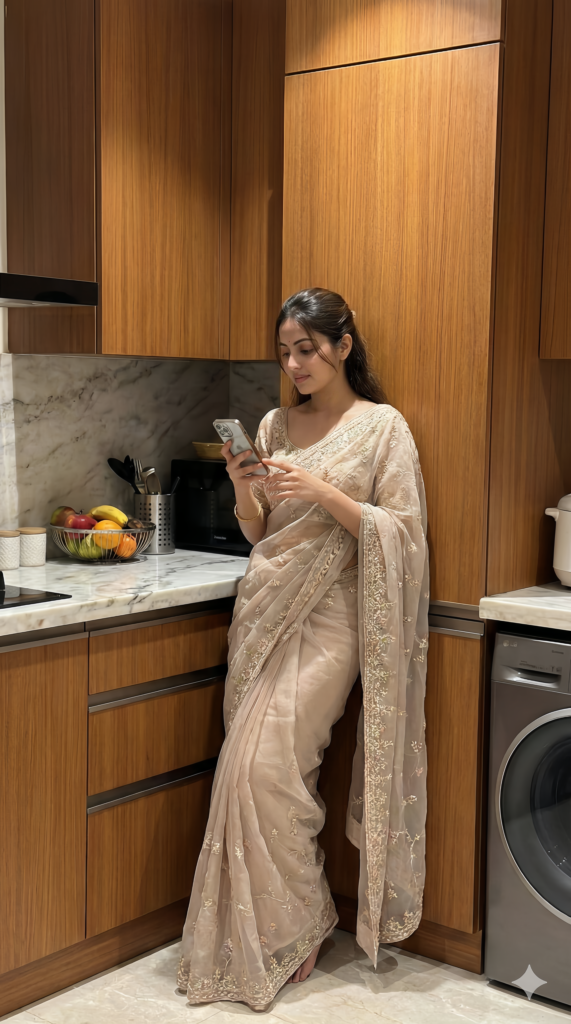
Use a single strong warm spotlight positioned slightly behind the subject and offset to one side (about 40–50° side-back angle) aimed toward the subject. The light should be very warm amber / sunset tone (around 2800K–3200K) and moderately hard so it creates a clear circular halo-style beam spread.
The light should be focused using a round projector / gobo lens so the beam forms a large soft circular glow around the upper body area. The center of the beam should fall slightly behind the head and shoulders, creating warm highlights on the face and hair edges.
Add very faint cool ambient spill from the opposite side (soft blue 6500K at very low intensity) just enough to create gentle shadow separation while keeping the warm spotlight dominant.
No other lights — the main warm side-back spotlight remains the primary source, producing dramatic warm highlights, soft falloff across the face, and subtle shadow depth.
Output
3 Prompts
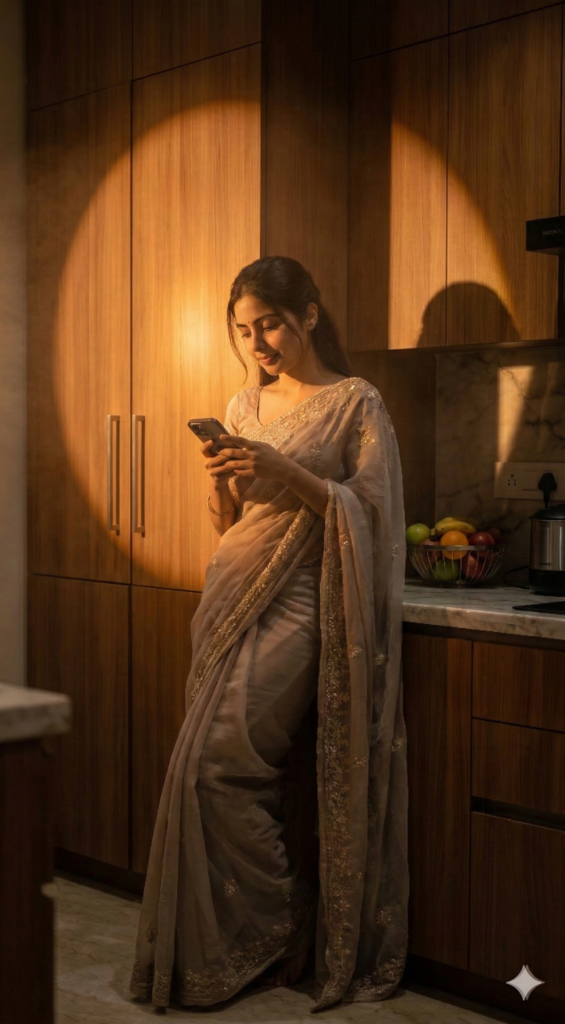
Use a strong natural sunlight-style key light entering from one side at about 45°, colored warm golden daylight (around 5200K–5600K). The light should be hard directional light so it creates sharp, well-defined shadow patterns.
Place a window-blind or slatted gobo in front of the light source so the light passes through narrow gaps, producing striped shadow patterns across the subject and surrounding surfaces. The shadows should be high contrast, crisp, and clearly defined, typical of sunlight passing through blinds.
Add a very soft low-intensity ambient fill light from the opposite side just to slightly lift the darkest shadows while keeping the overall lighting dramatic and high contrast. The main sunlight beam should remain the dominant light source with strong patterned shadows.
Output
4 Prompts
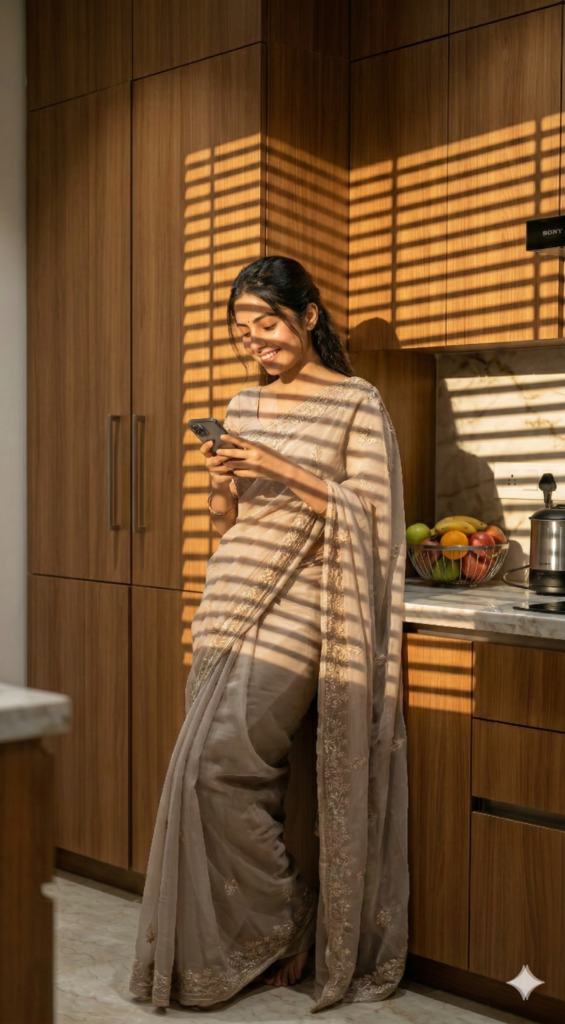
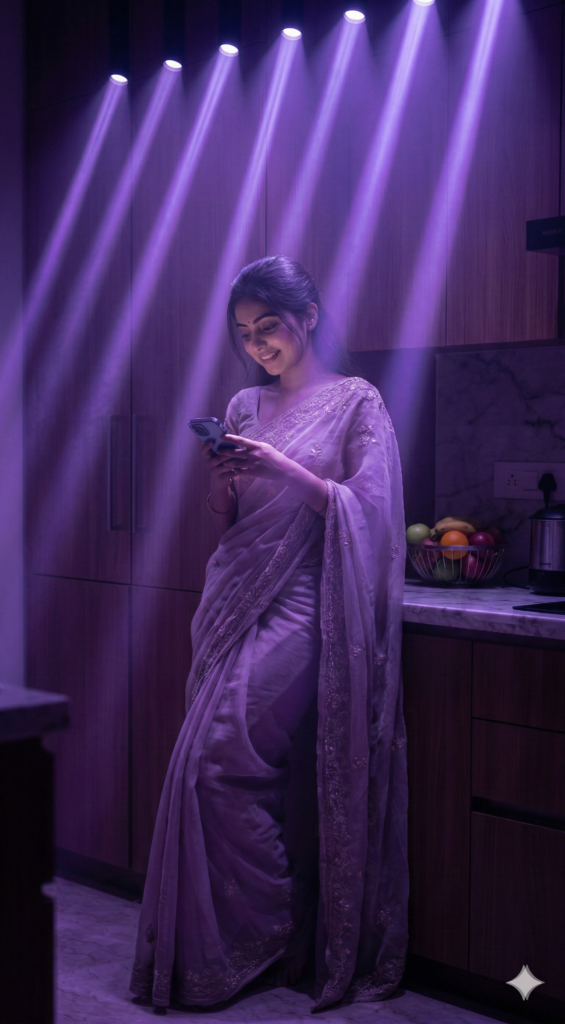
Use multiple narrow neon light beams projected from above, angled slightly forward toward the subject. The lights should originate from several overhead sources arranged in a row, each producing thin, sharp volumetric rays.
Color the beams soft purple / violet neon (around 420–450nm spectrum look) with a slightly glowing edge. The lights should be focused spotlights with tight beam angles so the rays appear long and clearly defined.
Add light atmospheric haze in the air so the beams become visible as volumetric light streaks extending from the ceiling downward. The intensity should be moderate to strong at the top and gradually fade as the beams descend, creating a soft glowing neon stage-light effect.
No additional lights — only the overhead purple volumetric beam lights.
Output
5 Promots
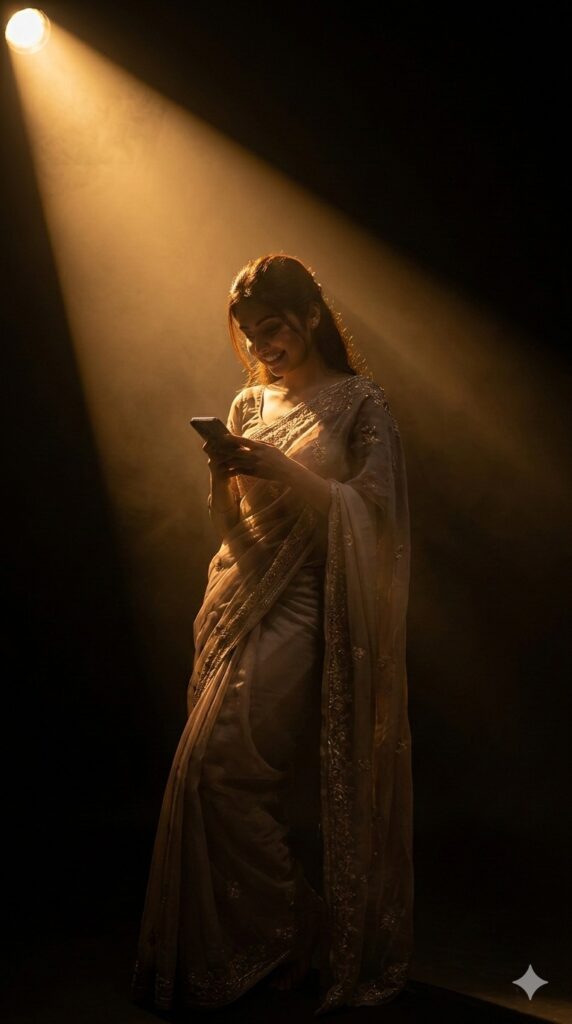
Dark studio environment with a single strong warm spotlight coming from the top-left corner at about a 45° angle, creating a dramatic golden beam of light falling diagonally across the subject. The light should be soft yet directional, slightly diffused to create a cinematic glow with gentle falloff. Background remains almost completely black, allowing the light to form a triangular highlight area around the head and shoulder.
Use warm tungsten tone lighting (around 3200K–3800K) to create a rich golden-orange highlight on hair and skin edges. The light should produce strong rim highlights on the hair strands and soft highlights on the shoulder while leaving most of the face in deep shadow (low key lighting).
Add subtle volumetric haze or light mist in the air so the beam of light becomes visible, creating a cinematic light ray effect. No fill lights, no front lights — only one focused top-side key light with high contrast and deep shadows to maintain a moody cinematic atmosphere.
Output
6 Prompts
Use two opposite colored lights for a cinematic color contrast setup.
Place a strong cool blue key light from the left side at about 45°, slightly above face level. The light should be soft but directional (around 6500K–7500K) so it smoothly illuminates one side of the face and creates cool highlights across the skin.
Add a vivid magenta / neon pink light from the right side at about 45°, positioned slightly lower than the blue light. This light should be medium intensity and slightly harder, creating a strong colored rim and cheek highlight.
Both lights should overlap subtly at the center of the face to produce a smooth gradient blend between blue and magenta, creating a dramatic neon cinematic lighting effect with strong color contrast. No other lights.
Output