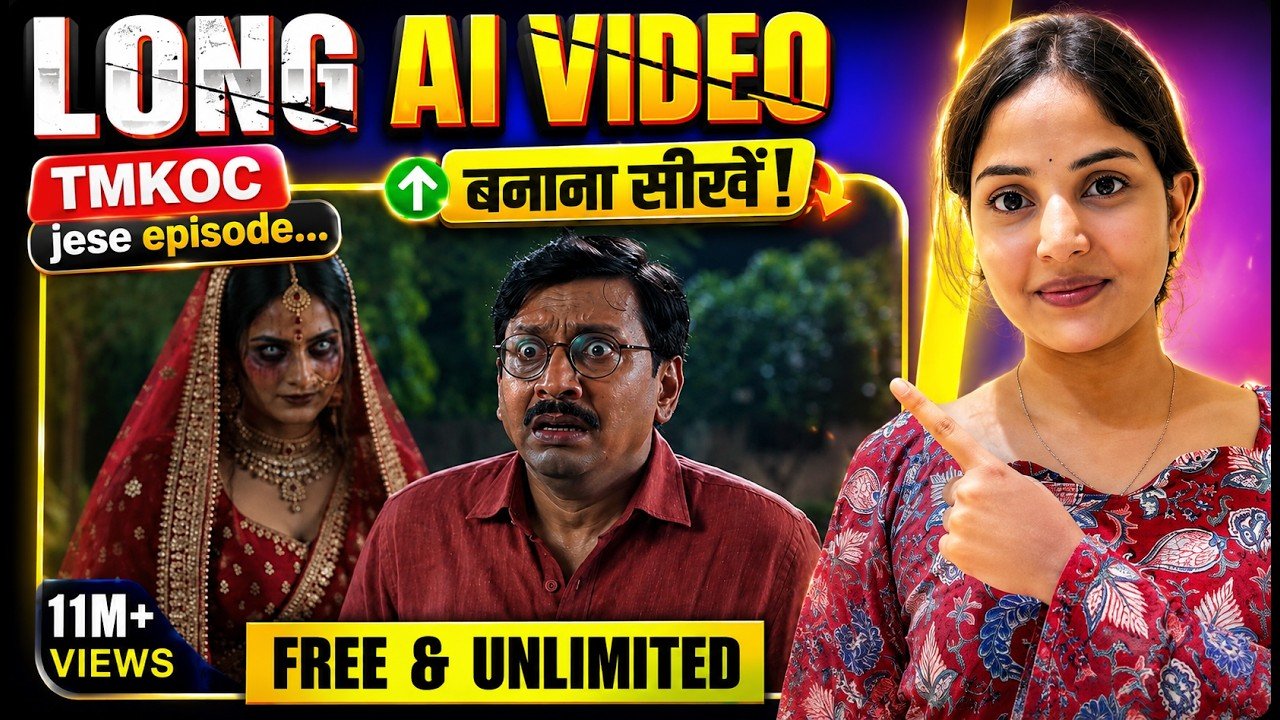
Artificial Intelligence has completely transformed video creation. Today, you don’t need expensive cameras, actors, recording studios, or large production teams to create engaging story-based videos. With the right AI workflow, you can generate consistent characters, natural dialogues, cinematic camera movements, realistic expressions, and high-quality scenes for an entire series—all from your computer.
In this guide, you’ll learn the complete process of creating AI-generated story episodes while maintaining character consistency, voice consistency, and professional-quality visuals.
Start with a Strong Story Concept
Every successful AI episode begins with a clear concept. Before generating anything, prepare your complete storyline and divide it into individual scenes.
Your planning should include:
- Story overview
- Character list
- Scene descriptions
- Camera angles
- Dialogues
- Character actions
- Emotional expressions
- Scene transitions
Planning everything beforehand allows AI to generate much more consistent and cinematic results.
Create Detailed Character Profiles
One of the biggest challenges in AI filmmaking is keeping characters looking identical throughout multiple scenes.
Instead of writing short prompts, create a detailed master description for every character.
Include details such as:
- Facial structure
- Hair
- Clothing
- Age
- Personality
- Body language
- Expressions
- Voice style
These master descriptions become reusable prompts that ensure your characters remain visually consistent throughout the entire project.
Build a Character Library
Rather than generating a new character every time, save each character as a reusable asset.
Give every character a unique name so you can easily reference them later while creating scenes.
A saved character library makes it possible to create long-form AI series without constantly redesigning your cast.
Create Your Own AI Avatar
Modern AI tools also allow creators to generate personal digital avatars.
Instead of using fictional characters, you can create an AI version of yourself and use it across multiple videos.
This is especially useful for:
- YouTube creators
- Educational channels
- AI influencers
- Virtual presenters
- Digital storytellers
Your avatar remains consistent across every project.
Keep Every Location Consistent
Characters alone are not enough.
If your bedroom looks different in every scene, viewers immediately recognize the content as AI-generated.
Create master prompts for every recurring location, including:
- Bedroom
- Living room
- Office
- School
- Garden
- Street
- Kitchen
Generate these locations once and reuse them throughout your project.
This greatly improves visual continuity.
Generate Reference Images First
Instead of creating videos immediately, first generate high-quality reference images.
Reference images help AI understand:
- Character appearance
- Environment
- Lighting
- Mood
- Composition
Using reference images produces far more stable and realistic video generation.
Edit Images Instead of Starting Over
Sometimes an image is almost perfect except for one unwanted object.
Instead of regenerating the entire image, simply edit the specific element.
For example, you can:
- Remove objects
- Replace backgrounds
- Fix clothing
- Adjust lighting
- Remove unwanted characters
Editing saves time while preserving consistency.
Write Detailed Scene Prompts
Each scene should include far more than basic instructions.
A professional scene prompt should contain:
- Scene objective
- Character actions
- Exact dialogues
- Camera movements
- Facial expressions
- Lighting
- Background details
- Cinematic mood
- Shot transitions
The more detailed the prompt, the better the AI understands your creative vision.
Keep Dialogues Consistent
When generating multiple scenes, avoid rewriting dialogue for every shot.
Use the same dialogue throughout your workflow to maintain continuity between scenes.
Consistent dialogue improves storytelling and prevents unexpected AI changes.
Maintain Voice Consistency
Voice consistency is just as important as visual consistency.
Assign each dialogue to its corresponding character so every character speaks using the same voice throughout the episode.
This creates a much more natural viewing experience.
Generate Scenes Individually
Rather than creating an entire episode in one prompt, generate each scene separately.
This gives you greater control over:
- Camera movement
- Character expressions
- Timing
- Dialogue delivery
- Visual quality
Later, combine all scenes during editing.
Regenerate Until You Get the Best Result
AI generation is rarely perfect on the first attempt.
Professional creators often generate multiple versions of the same scene before choosing the best one.
Different generations may offer:
- Better acting
- Better expressions
- Better lighting
- Better dialogue delivery
- Better camera movement
Select the strongest elements from each version.
Combine the Best Parts During Editing
Instead of using one generation exactly as it is, combine the best visual clips with the best audio takes.
Professional editing allows you to:
- Replace dialogue
- Swap reactions
- Improve pacing
- Hide AI mistakes
- Create smoother storytelling
This hybrid workflow produces significantly higher-quality videos.
Organize Your Best Clips
As your project grows, you’ll generate dozens of video clips.
Keep your workflow organized by saving only the strongest generations.
This makes editing faster and prevents confusion during post-production.
Produce Long AI Story Series
Once your characters, locations, and workflow are established, creating future episodes becomes much easier.
You can continue using the same:
- Characters
- Locations
- Voices
- Story universe
- Visual style
This allows you to build an entire AI-powered series with consistent quality.
Tips for Better AI Story Videos
To achieve professional-looking AI episodes:
- Plan every scene before generating.
- Create reusable character profiles.
- Keep locations visually consistent.
- Generate scenes individually.
- Use detailed prompts.
- Maintain voice consistency.
- Regenerate difficult scenes.
- Edit multiple generations together.
- Organize your assets.
- Focus on storytelling rather than relying solely on AI.
Conclusion
Creating AI story episodes is no longer limited to large production studios. By using a structured workflow that emphasizes character consistency, detailed prompts, realistic locations, and careful editing, creators can produce high-quality cinematic content efficiently. Whether you’re building animated dramas, comedy series, horror stories, or educational content, following this process will help you create engaging AI-powered episodes with a professional finish.
