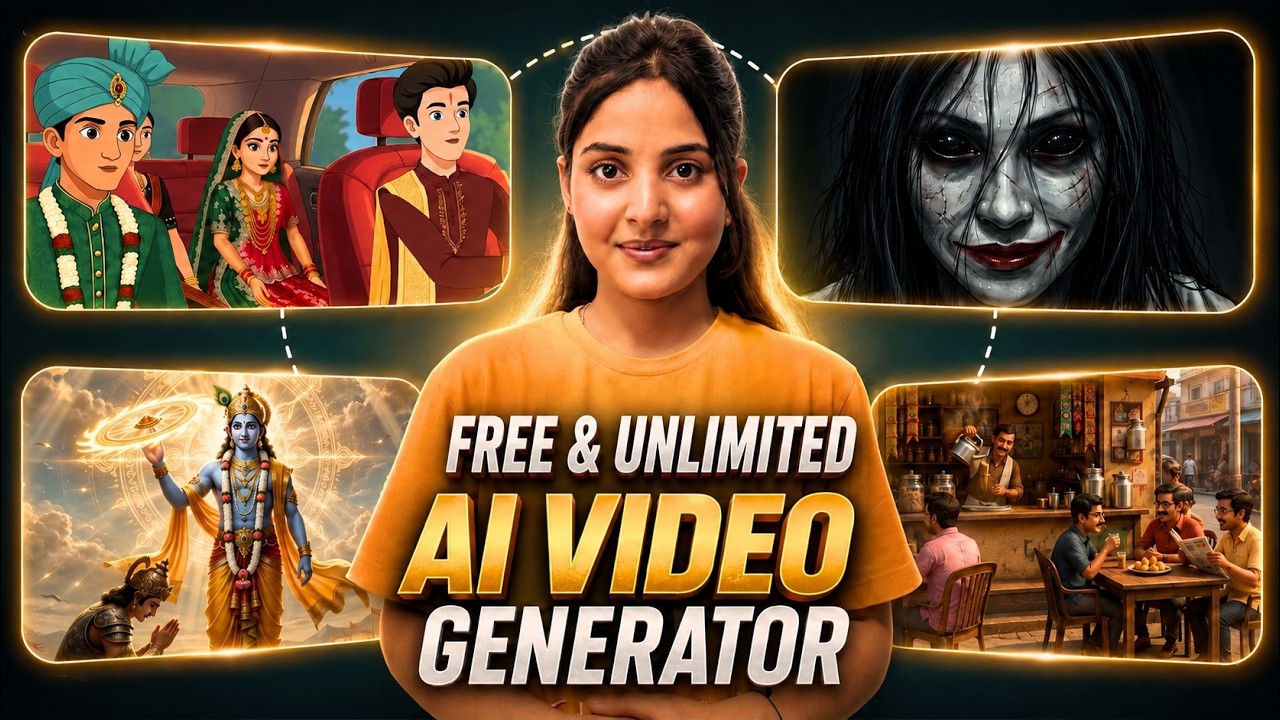
Have you ever thought that a single tool could help you build a monetized faceless YouTube channel?
Whether you want to create:
- Horror stories
- Spiritual content
- Hindi story videos
- Animated videos
- Digital avatar content
there is now a platform that combines everything in one place.
Instead of using multiple tools for image generation, video creation, voiceovers, thumbnails, and SEO, you can do it all from a single dashboard.
In this article, we’ll explore how AutoDraft works and why many creators are using it to create complete YouTube videos with minimal technical knowledge.
Can Faceless YouTube Channels Really Be Monetized?
One of the first things many creators ask is:
“Do these AI-generated channels actually get monetized?”
The answer is yes.
There are already multiple channels using this type of workflow that have gained millions of views and achieved monetization.
Some channels have:
- Millions of total views
- Hundreds of thousands of subscribers
- Viral videos reaching millions of views
This proves that audiences are actively watching AI-generated content when the storytelling and presentation are done correctly.
Getting Started with AutoDraft
Simply search for AutoDraft on Google and open the official website.
After signing in, click on Launch App.
You’ll be taken to a workspace where you can create and manage complete video projects.
To begin:
- Create a new project.
- Enter a project title.
- Select your preferred aspect ratio.
- Click Create.
Now your video workspace is ready.
Animation Studio
One of the most interesting features inside AutoDraft is the Animation Studio.
Here you can:
- Add backgrounds
- Place characters
- Animate characters
- Create scenes
- Build complete animated videos
Choosing a Background
Start by selecting a template or background from the template library.
Once selected, it will appear inside your scene.
You can remove any default characters and replace them with your own.
Adding Characters
The character library includes a wide variety of options such as:
- Human characters
- Horror characters
- Fantasy characters
- Religious and spiritual characters
You can search for specific characters and instantly add them to your scene.
Character Animation
After selecting a character, you can apply different animations such as:
- Walking
- Running
- Jogging
- Singing
- Various pose animations
The platform provides front-view, side-view, and back-view animations.
This gives creators flexibility when designing scenes.
Making Characters Move Across the Scene
By default, a character may perform an animation while staying in one place.
If you want the character to move from one location to another:
- Select the character.
- Click on Path.
- Choose the destination point.
- Adjust the timeline.
Now the character will naturally walk from one position to another.
This creates a much more realistic scene.
Upload Your Own Characters
You are not limited to the built-in character library.
AutoDraft also allows you to:
- Upload custom characters
- Create your own characters
- Customize existing characters
This is especially useful if you want consistent branding across your videos.
Exporting Videos
Once your animation is complete:
- Click Download.
- Export the video in HD quality.
- Save it directly to your computer.
One surprising feature is that many animation features can be used without consuming generation credits.
This makes it extremely useful for creators using the free plan.
AI Image Generation
AutoDraft also includes an AI image generator.
To create images:
- Open the Image AI section.
- Enter a prompt.
- Upload a reference image if needed.
- Choose an aspect ratio.
- Select an AI model.
- Generate the image.
The platform supports various styles including:
- Realistic
- Anime
- 3D
- Cartoon
- Artistic styles
You can also use the built-in prompt generator if you’re unsure how to write prompts.
AI Image Editing
After generating an image, you can further enhance it using AI editing tools.
Available options include:
- Day-to-night conversion
- Night-to-day conversion
- Lighting effects
- Visual enhancements
- AI effects
This allows creators to improve their images without using external editing software.
AI Video Generator
One of the strongest features of AutoDraft is its AI video generator.
You can convert a single image into a fully animated video.
How It Works
- Upload the image.
- Enter a motion prompt.
- Choose an AI model.
- Select resolution and duration.
- Generate the video.
You can even apply effects such as:
- Rain
- Earthquake
- Day to Night
- Night to Day
The generated videos often contain smooth and realistic motion.
For example:
- People reading newspapers
- Characters talking
- Characters drinking tea
- Natural background movement
The animations closely follow the prompt instructions.
AI Voice Generation
Creating voiceovers is equally simple.
AutoDraft offers:
- Text-to-speech
- Voice cloning
- Sound effect generation
- Emotion control
Adding Emotions
You can add emotional cues such as:
- Laughing
- Excitement
- Sadness
- Surprise
This helps create more natural and engaging voiceovers.
Voice Selection
You can filter voices by:
- Language
- Gender
- Age
The platform also supports Indian languages, making it useful for regional content creators.
Voice Cloning
If you want videos in your own voice, simply upload a voice sample.
AutoDraft can create a voice clone that sounds similar to your original voice.
This is useful for:
- YouTube channels
- Educational videos
- Storytelling content
- Brand consistency
Sound Effects and Music
The platform includes a built-in library of:
- Copyright-free music
- Sound effects
- Background tracks
These can be added directly to your projects without worrying about copyright claims.
You can even generate custom sound effects using AI.
Lip Sync Feature
If your character needs to speak, AutoDraft also provides lip-sync functionality.
Simply:
- Generate a voice.
- Assign it to a character.
- Enable lip sync.
The character will automatically match its mouth movements to the generated speech.
AI Thumbnail Generator
Another useful feature is the AI Thumbnail Generator.
Simply:
- Upload a reference image
- Enter a prompt
- Generate the thumbnail
The generated thumbnails are designed to be eye-catching and suitable for YouTube content.
Additional Editing Tools
AutoDraft also includes several editing features such as:
- Split clips
- Duplicate layers
- Scene management
- Effects
- Asset library
- Audio controls
- Timeline editing
You can create multiple scenes and combine them into a complete video project.
What Type of Videos Can You Create?
Using AutoDraft, creators are producing:
- Horror stories
- Spiritual videos
- Story-based content
- Animated explainers
- Faceless YouTube videos
- Short-form content
The platform is flexible enough to support a wide range of content styles.
Final Thoughts
AutoDraft aims to provide everything a content creator needs in a single platform.
Instead of switching between multiple tools for:
- Images
- Videos
- Voiceovers
- Thumbnails
- SEO
you can manage the entire workflow from one dashboard.
The free version offers enough features to get started, while the paid version unlocks more advanced AI capabilities.
For creators looking to build a faceless YouTube channel, create animated content, or speed up their production workflow, AutoDraft is definitely worth exploring.
With AI continuing to evolve, tools like this are making content creation faster, easier, and more accessible than ever before.
