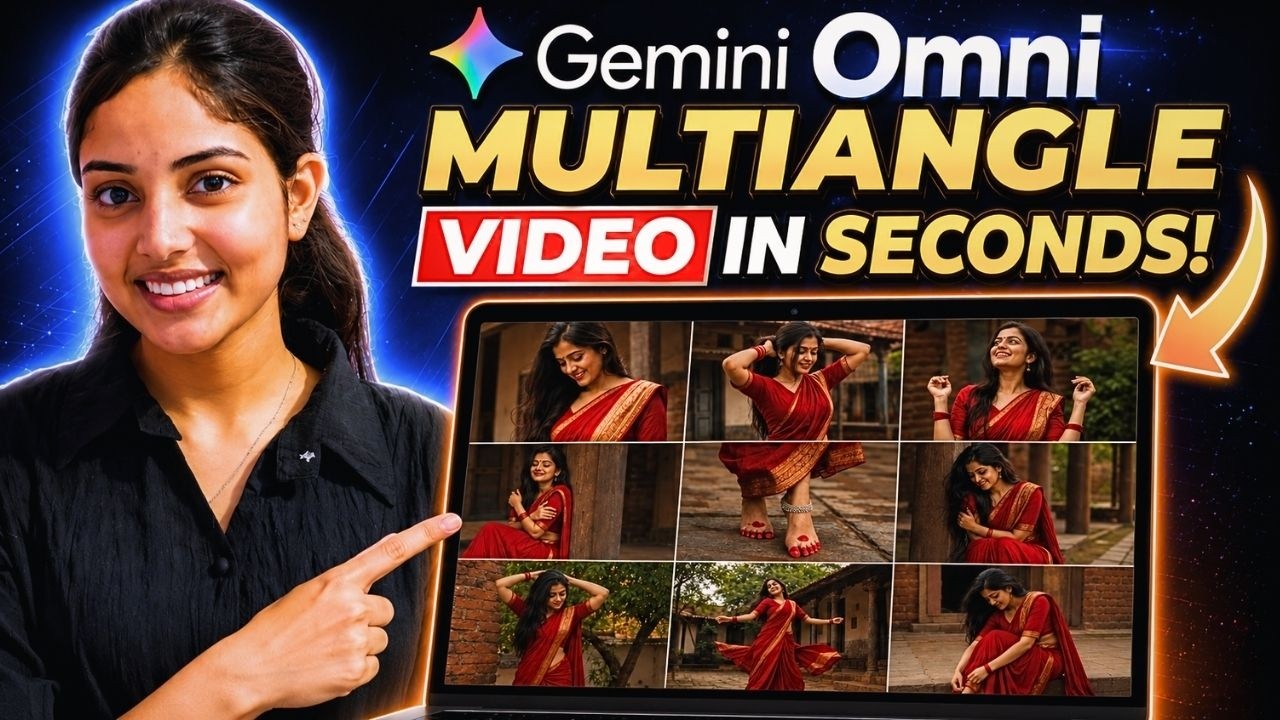
Creating professional advertising videos has traditionally been a time-consuming process. Marketers and creators often need multiple images, dozens of prompts, consistent character designs, and extensive editing to achieve a polished result.
But what if you could generate an entire commercial-style video using just a single image?
Thanks to the latest AI tools, that is now possible.
In this guide, you’ll learn how to transform one product image into a complete multi-angle video advertisement with smooth camera movements, consistent characters, and professional-quality visuals—all without complex editing or repeated prompt writing.
Why This Method Is Different
Most AI video workflows follow a lengthy process:
- Generate multiple images
- Write separate prompts for each scene
- Create motion for every image individually
- Combine everything in a video editor
- Fix consistency issues manually
This new workflow eliminates nearly all of those steps.
Instead, you only need:
- One product image
- One storyboard prompt
- One video generation prompt
The result is a complete advertisement featuring:
- Multiple camera angles
- Cinematic shots
- Character consistency
- Product consistency
- Smooth motion
- Professional commercial-style presentation
Step 1: Create a Storyboard from Your Product Image
The first requirement is a storyboard.
A storyboard is simply a visual plan that shows different scenes and camera angles within a single image. It helps AI understand how the final video should be structured.
Upload Your Product Image
Open ChatGPT and upload your product image.
For example, if you’re promoting a saree, upload an image that includes:
- The saree
- A model wearing the saree
While uploading the product alone can work, using a model often helps the AI capture details such as:
- Fabric texture
- Draping style
- Jewelry
- Overall presentation
This leads to better consistency throughout the generated video.
Use a Storyboard Prompt
Next, paste your storyboard generation prompt into ChatGPT.
The prompt should instruct ChatGPT to create a professional storyboard containing multiple frames that showcase different camera angles and scenes.
You can choose any aspect ratio based on your platform:
- 16:9 for YouTube
- 9:16 for Shorts, Reels, and TikTok
- 1:1 for social media posts
Generate the image and wait for ChatGPT to create the storyboard.
Once generated, download the storyboard image.
Step 2: Convert the Storyboard into a Video
Now it’s time to transform the storyboard into a complete video advertisement.
Open Google Gemini or Google Flow
Upload the storyboard image you created.
Google’s Omni video generation model is particularly effective because it can analyze storyboard frames and understand the intended visual sequence.
After uploading the storyboard:
- Paste your video generation prompt.
- Select “Create Video.”
- Choose your preferred aspect ratio.
- Submit the request.
The AI will begin analyzing the storyboard.
Step 3: Review the AI Scene Breakdown
One impressive feature of this workflow is that Gemini doesn’t simply generate a video immediately.
Instead, it first analyzes the storyboard and provides:
- Scene breakdowns
- Camera movement descriptions
- Shot transitions
- Visual explanations
- Story flow analysis
This allows you to review the structure before creating the final video.
If everything looks correct, simply enter:
Generate Video
Then submit the request.
The Final Result
Within a short time, your complete video advertisement will be ready.
The generated video typically includes:
Multiple Camera Angles
The AI converts storyboard frames into various cinematic shots such as:
- Wide shots
- Close-ups
- Medium shots
- Tracking shots
- Product-focused shots
Smooth Motion
Instead of static scenes, the video contains natural camera movement and fluid transitions between shots.
Excellent Consistency
One of the biggest challenges in AI video generation is maintaining consistency.
However, this workflow does an impressive job of preserving:
- Hairstyles
- Jewelry
- Facial features
- Clothing details
- Product appearance
Across every scene, the character remains visually consistent, making the final video look far more professional.
Commercial Quality Output
The finished result often resembles footage from an actual advertisement shoot rather than a typical AI-generated video.
This makes it ideal for:
- E-commerce stores
- Product promotions
- Fashion brands
- Jewelry brands
- Social media marketing
- Digital advertising campaigns
Why Creators Should Use This Workflow
This method offers several advantages:
Saves Time
You no longer need to create dozens of individual images.
Reduces Prompt Writing
A single storyboard prompt and one video prompt can generate an entire advertisement.
Eliminates Complex Editing
Most of the creative work is handled automatically by AI.
Maintains Consistency
Characters and products remain consistent throughout the video.
Beginner Friendly
Even users with no video editing experience can create professional-looking advertisements.
Final Thoughts
AI video generation is evolving rapidly, and this storyboard-to-video workflow is one of the simplest ways to create professional advertising content.
By combining ChatGPT for storyboard creation and Google Gemini or Google Flow for video generation, you can turn a single product image into a complete cinematic advertisement with multiple camera angles, smooth motion, and impressive consistency.
If you’re a content creator, marketer, or business owner looking to create high-quality ad videos quickly, this workflow is definitely worth trying.
Sometimes, all it takes is one image to create an entire commercial.
